How to download Instagram videos with FastClip
Looking for a way to download photos and videos from Instagram? Since Instagram doesn't offer a built-in download feature within their app, FastClip is here to help. This tool will show you how to quickly save any Instagram content to your device in original resolution without the need for extra software.
FastClip.net is a powerful online tool that allows you to download all content from Instagram such as: Videos, Photos, Stories, Reels, Highlights, and profile pictures (Insta DP). The tool works entirely on the browser, supports all devices from computers, Android phones, to iPhones, and especially all features are completely free. FastClip.net is a great tool for Instagram users.
Step 1: Copy Instagram post link
- Open the Instagram app or visit Instagram.com in your browser.
- On Instagram, open the post with the video or photo you want to download.
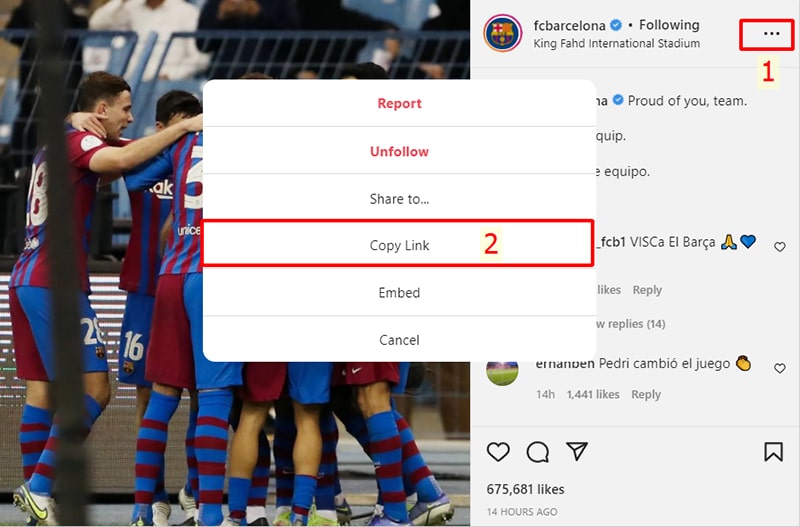
- Tap the three-dot icon (●●●) on the post and select Copy link from the menu that appears.
Step 2: Open the FastClip.net tool
- Open any browser and visit the FastClip.net website
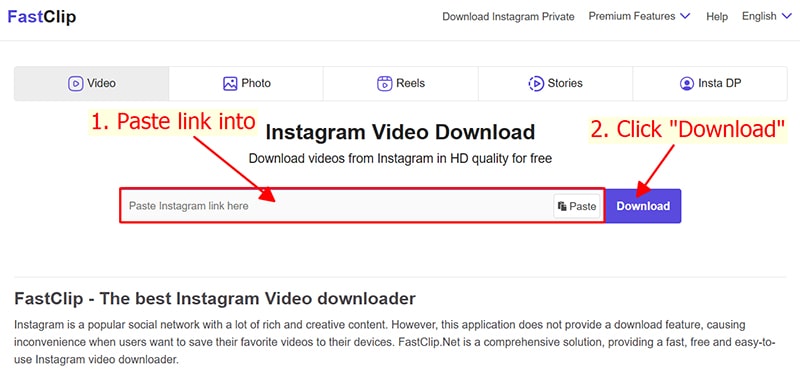
- Paste the Instagram post link into the search box at the top of the page and press the Download button to start extracting the download link.
Step 3: Save to your device
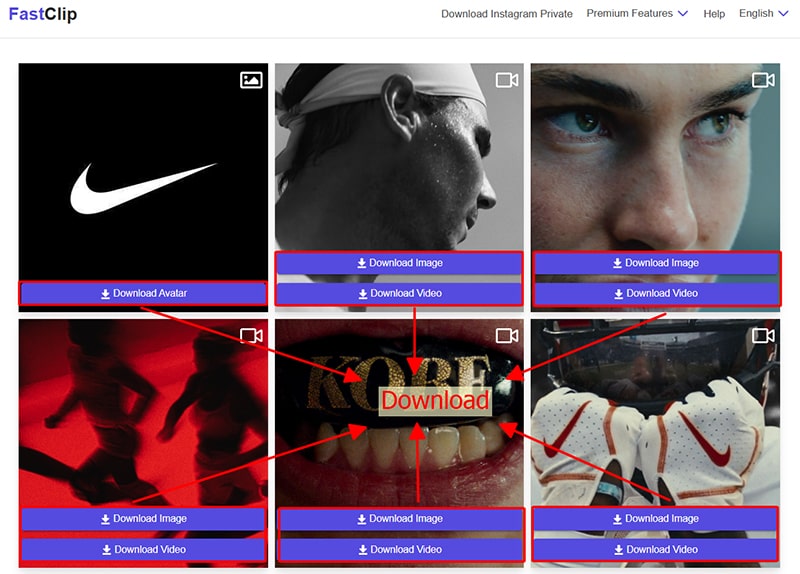
- After the extraction process is complete. All photos and videos included in the Instagram post will appear.
- Tap the Download Photo or Download Video button to save them to your device.
If you find FastClip useful, please support us by sharing this tool with your friends and family so everyone can enjoy it. Your support is a huge motivation for us to keep improving!