Private Instagram Downloader
Download videos, photos, stories and reels from private Instagram accounts easily
Online Private Instagram Photo and Video Downloader
Are you seeing the message "Content is private"? This happens when the post belongs to a private account, which standard downloaders cannot access. To solve this, FastClip provides a specialized Private Instagram Downloader that lets you save any content including videos, Stories, photos, Reels, and Highlights from private accounts quickly and safely.
FastClip.net makes it easy to download content from private Instagram accounts right on your browser, without installing software, extensions or apps.
If tools like SnapInsta, SaveInsta fail to download private videos, try FastClip.net. This tool can:
- ✅ Download private video
- ✅ Download story from private account
- ✅ Download Reels and profile pictures
- ✅ Overcome age and geographic restrictions
Note: You need to follow private account and get approval from the account owner to view and download posts.
How to download private Instagram posts using FastClip:
Step 1: Log in to your Instagram account
Open any browser on your device, go to Instagram.com and log in to your Instagram account (Note: the entire process needs to be done in the same browser).
Step 2: Copy Instagram link
On Instagram, open the video you want to download and copy its link.
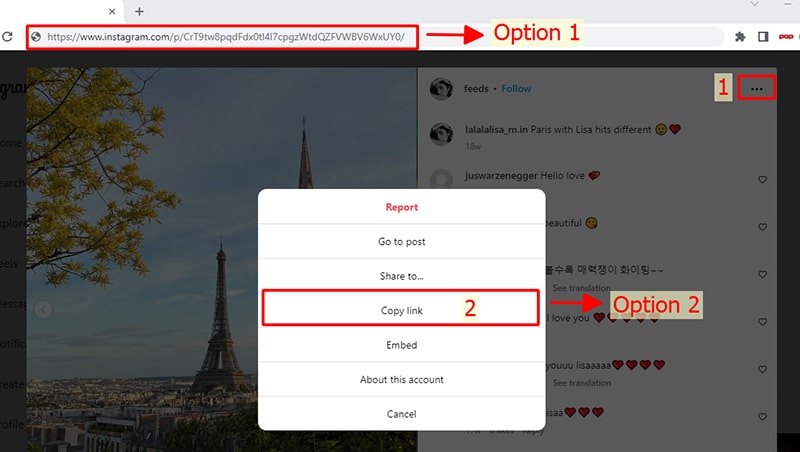
Step 3: Create and open API link
- In the same browser, open a new tab and visit the FastClip.net website (https://fastclip.net/en/instagram-private-downloader).
- Paste the copied Instagram link into input field number 1 (see photo).
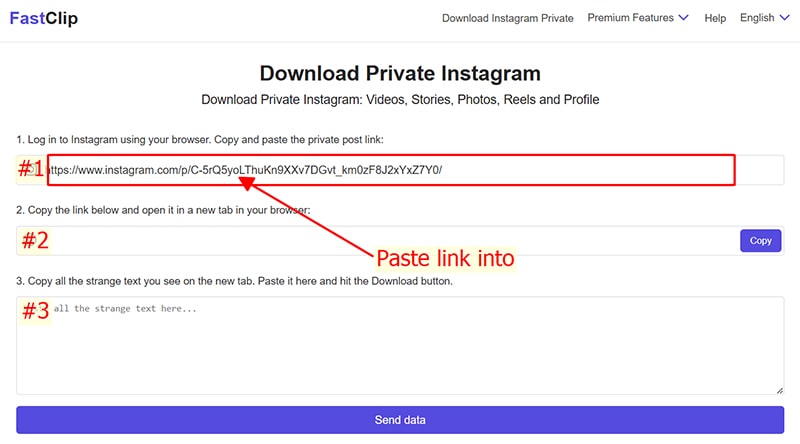
- Immediately after that, a new link will be generated in input field number 2. Press the Copy button to save this link and the device's clipboard.
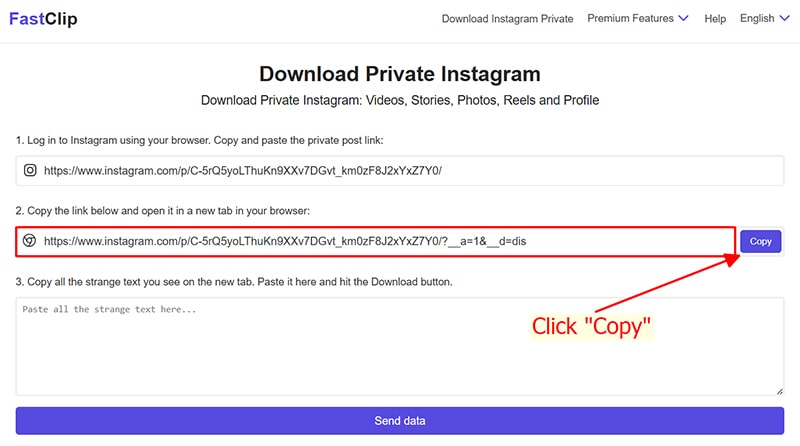
- On the same browser, paste and access the link you just copied in input field number 2 (#2).
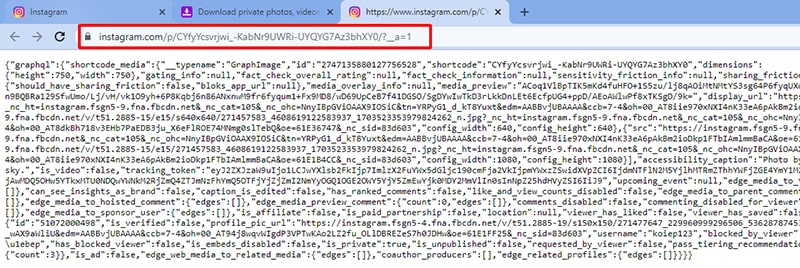
Step 4: Copy entire text
Highlight and copy all strange text you see (Note: Must copy the entire content from top to bottom and must not miss any characters).
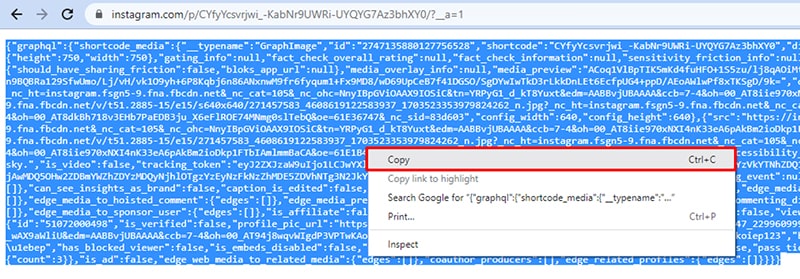
Step 5: Extract download link
- Back on the FastClip.net tab, paste all the copied text into input field number 3 (#).
- Press the Send data button and wait a few seconds for the tool to extract the download link from your data provided.
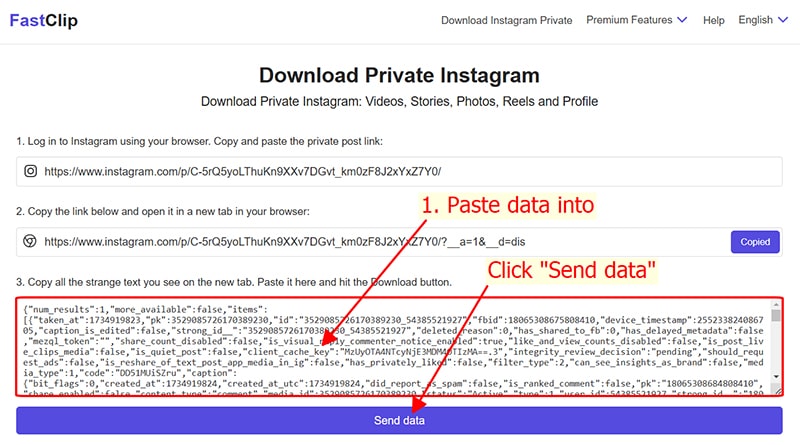
Step 6: Save video to device
When the extraction process is completed. The video you want to download will be displayed. Now you can save them to your device easily.
Why should you choose FastClip to download private Instagram content?
- ✅ High Security: No user data collected or stored.
- ✅ Easy to use: Intuitive interface, simple operation.
- ✅ No software required: Everything works directly in the browser.
- ✅ Fast & Stable Download: High-speed processing system, no interruption.
- ✅ Multi-platform support: Use on phones, computers and tablets.
Download everything from Instagram, even private content
From profile pictures and Reels to Stories and private videos, FastClip makes it easy to download them all. Experience our professional, secure, and completely free Instagram downloader today!